
How to Leverage Auto Repair Shop Accounting Software
The article titled "How to Leverage Auto Repair Shop Accounting Software" from Tekmetric discusses strategies and benefits of using specialized accounting software to optimize financial management and operational efficiency in auto repair shops.
By default, we use third-party cookies in order to personalize your experience. Read our Cookie Policy.
Accept
Preferences
Manage Consent Preferences
Essentials
Always active
Necessary for the site to function. Always On.
Analytics
Analytics
Measures usage and improves your experience.
Marketing
Marketing
Used for targeted advertising.
Personalization
Personalization
Remembers your preferences and provides enhanced features.
The GPC signal has been honored.
Reject All
Accept All
Thank you! Your submission has been received!
Oops! Something went wrong while submitting the form.
Preferences
Join 1,000+ industry leaders at Tektonic 2027. Early bird pricing is now open.
See how Metro Motor grew their average repair order to $800 across 19 shops with Tekmetric
Under the Lift: Stories from the Automotive Frontier (New Episode)
Register Now Read the Story Watch Now
How to Best Leverage Your Auto Repair Shop Accounting Software
|
April 28, 2023
|
Read time: 1 min

 \
Add as a preferred source on Google
\
Add as a preferred source on Google
Latest Posts
Reading the ARO Gaps Among Your Shops
How to Deliver a Consistent Auto Repair Customer Experience Across Every Location
Auto Repair Platform Features that Actually Matter
Grow Every Multi-Shop Location
table of contents
https://www.tekmetric.com/post/auto-repair-shop-accounting-software
Please note: This blog post does not constitute legal or financial advice. This blog post is merely a guide on how shop management software works with accounting software. Additionally, there is a difference between bookkeeping services and accounting services. If you’re seeking professional accounting services, contact Paar, Melis, & Associates .
For many shop owners, the accounting side of business can be overwhelming. After all, there’s probably a good reason why you decided to start an auto repair business and not an accounting firm—you enjoy fixing cars and helping people, not staring at numbers all day. That's where reporting features from Tekmetric come in, making it easier to see all your finances in one place.
But when you’re in the shop owner’s seat, it’s vital for you to have a firm grasp on your books. If you want your business to succeed over the long haul, your financial statements need to be complete, consistent, and comparable.
Complete Statements
You should account for all transactions, not only your sales and expenses on parts and labor but also your taxes, warranties, refunds, cores, and any other major or minor transactions that may fall by the wayside. “Complete” also means that all relevant information such as dates, purchase order numbers, and vendor names are included on each statement. Complete statements will give you the clearest idea of how much money you actually have to invest back into your business at the end of each sales cycle.
Consistent Statements
You should have a regular schedule and method for tracking what your business makes and what your business spends. It’s good practice to check your numbers at least once a month, and conduct a thorough reconciliation and analysis of your books at least once every business quarter. By regularly checking your statements, you can quickly catch any errors or instances of loss, whether it’s from theft, slip-ups, or forgetfulness. After all, we all forget things, and when we do, it’s best to realize it as soon as possible.
Comparable Statements
Comparable financial statements help you spot trends, which will make it easier to work with an accountant or a consultant and make better business decisions. You should be able to cross-reference your financial statements with purchase orders, receipts, and other financial reports. If your financial statements are complete and consistent with one another, then they should already be easy to compare. But it’s also worth considering how the financial data in your shop management system “talks to” the financial data in your accounting software.
“What Are My Margins?”
Shop owners looking to grow their business should always be asking themselves, “What are my margins?” If you want to invest in new tools, new talent, and new locations, you need to know how much money you actually have after your income and expenses have been accounted for. There are two places that your shop can and should be tracking your margins: your shop management system and your accounting software.
If you read the above sentence thinking, “Why do I need both? Isn’t it redundant to use both a shop management system and an auto repair shop accounting software?” you’re not alone. In fact, a lot of shop owners swear by the reports in their shop management system—and hey, if you’re using a shop management system like Tekmetric, then those reports are going to give you a good baseline to go by.
But if we’re going to make sure our financial statements are indeed complete, consistent, and comparable, we need to have something to verify the financial reports we see in our shop management system. There are aspects of your business such as paid time off, benefits, and payroll taxes that your shop management system isn't going to factor into your gross profit margin.
We can't ignore our accounting software because, at the end of the day, Tekmetric or any other shop management software out there is what we think we're making—it's what we think our margins are; it's what we think we pay for parts; it's what we think we pay our employees.
At the end of a sales period, an auto repair shop accounting software like QuickBooks is going to tell you how much money your shop made in sales, how much you paid in expenses, and what your actual margins are. Right, wrong, or indifferent, there is useful information in both solutions, and we need to make sure that we understand why those do match or why they don't match.
How to Divide Sales & Expenses
While there are quite a few facets that make up your “books” or accounting log, you can simplify things by dividing your sales and expenses into categories. Probably the best categories to start with are as follows:
- Parts
- Labor
- Shop supplies
- Sublet work
Parts, labor, shop supplies, and sublet work will form the basis of your profit and loss statements. If you do not divide your sales and expenses, you’re going to have to manually go in and calculate everything, which can take up a lot of your time.
The good thing is that a shop management system and accounting software will make it easy to divide your sales and expenses into reports.
Tekmetric’s Financial Reports
Before we get into how to synchronize your shop management system and your auto repair shop accounting software, let’s look at the tools that Tekmetric provides shop owners to get a sense of their numbers.
Tekmetric includes an assortment of financial reports that can be customized and broken down in various ways. But the three financial reports that give shop owners the highest-level look at the financial health of their business are the End-of-Day Report, the Parts Usage Report, and the Parts Purchased Report.
End-Of-Day Report

Tekmetric’s End-of-Day Report automatically pulls all the sales data inputted into Tekmetric and generates some of the most important business metrics for shop owners to follow. It includes your shop’s Average RO in Sales and Profits, your Profit Margin, your Gross Sales, and your Gross Profit.
While the End-of-Day Report defaults to showing your shop's earnings for the day, it can be set to show your shop’s earnings for any date range that you want. This is where shop owners can get a good forecast of how much money their shop is making. You can even compare how your shop is doing over different periods of time.
It’s important to remember that the End-of-Day Report pulls from everything put into Tekmetric, but there may be other sources of revenue and expenses that don’t make it into Tekmetric, so this report may not be 100% accurate. To have complete accuracy, you should use Tekmetric in conjunction with an auto repair shop accounting software.
Tekmetric Parts Reports
The End-of-Day Report will show you critical stats about your shop, such as your Average RO in Sales and Profits, your Profit Margin, and your Gross Profit.
However, you also need to keep track of every part your shop purchases and sells. When you’re buying and selling parts, it can be tough to keep track of everything—especially manually! A lot can happen. For example, parts can get lost in some corner of the shop, get stolen, or just not be accounted for in a repair estimate.
Minimizing loss is what Tekmetric’s two parts reports—the Parts Purchased Report and Parts Usage Report—do best. When you use these reports alongside each other, you can compare the parts your shop has purchased with the parts your shop has actually used.
Tekmetric’s Parts Purchased Report

The Parts Purchased Report will give you the key details about parts your shop has purchased, including the:
- Name of the part
- Vendor
- PO#
- RO Source
- Date Purchased
- Quantity
- Unit Cost
- Total Cost
- Ordering Employee
Tekmetric’s Parts Usage Report

The Parts Usage Report will show you exactly when each part was used. You’ll get details including:
-
The job title
-
The job category
-
The RO number it was used in
-
The customer and vehicle associated with the part
-
The technician associated with the job that involved the part
Using Tekmetric’s Parts Reports Alongside Your Auto Repair Shop Accounting Software
The combination of Tekmetric’s Parts Purchased Report, Parts Usage Report, and your accounting software add up to a powerful reconciliation tool. (Since QuickBooks is one of the most commonly used in the industry, that’s the example we’ll be using).
When you compare information between Tekmetric’s reports and QuickBooks, you can pinpoint the specific date range when things started to go astray with a particular type of part or vendor, determine how much you’re actually profiting from a given part, and identify any disconnects like “magically” disappearing parts, ex-employees using your shop’s charge accounts, and so forth.
For instance, let’s say you pull up the Parts Purchased Report and see that your shop purchased 100 oil filters two months ago, and QuickBooks corroborates this information. However, when you pull up the Parts Usage Report, it indicates that none of those oil filters have been used in those two months! From there, you can start to narrow down different possibilities for the 75 remaining oil filters:
- Maybe the service advisors forgot to log those parts
- Maybe the parts were stolen
- Maybe a former employee somehow ordered those parts
- Maybe your shop really had no use for those parts in the last two months
Here’s another example: let’s say that a particular part shows up on two repair orders in Tekmetric’s Parts Usage Report. When you check Tekmetric’s Parts Purchased Report, you see two orders of that part. So far, so good. But when you turn to QuickBooks, you see ten orders for that part. So, what happened?
Perhaps a service advisor ordered those parts outside of Tekmetric and didn’t properly log them in the system. Or, perhaps an ex-employee is using your shop’s charge account on accident—or on purpose .
Once you find the root cause, you can take the necessary steps to ensure such a thing doesn’t happen again. You can reiterate to all of your service advisors that logging parts ordered outside of Tekmetric is a must-do, every time. If the problem is with an ex-employee, you can cut off their access to your charge account and create stricter offboarding procedures moving forward.
Best Practices for Getting Your Parts In Order
The best way to make sure you don’t run into any headaches when comparing the information in Tekmetric’s Parts Purchased Report, Tekmetric’s Parts Usage Report, and your auto repair shop accounting software is to get your parts process in order from the get-go. Training your team and implementing repeatable processes for logging and tracking every part will save you time down the line.
Train Service Writers On Parts Ordering Guidelines and Documentation
A streamlined parts ordering and documentation process starts with your service writers. If they input the wrong information in Tekmetric or forget to do so at all, it’ll have a trickle-down effect. You’ll end up scratching your head when things don’t line up in QuickBooks and the Parts Purchased Report and Parts Usage Report in Tekmetric.
To obtain a healthy parts margin, it’s essential to spend time making sure service writers understand your shop’s guidelines on parts ordering and documentation. You could make it a policy that service writers can only order parts from certain vendors within Tekmetric, and if they want to bypass that, they have to get permission from you first. Then, you could tell them that they must log each part that’s ordered and used as soon as possible. That way, the chance that they forget to input a part order or add a part to a repair order will be minimized, and you won’t have to scroll through pages of statements down the line.
Adjust Your Shop’s Parts Matrix as Needed
The day you snag a deal on a part is always a good one. However, be sure to follow that win by tweaking your shop’s parts markup matrix. Your shop’s parts matrix is what helps you markup parts in a fair way, and in turn, earn the appropriate profit on each part you sell.
If you don’t adjust the markup for the particular part you got for less, you’ll be losing money. For example, say your markup on a $100 part is usually 15%. But, if you get that part for $80 the next time, you might consider bumping up the markup to 20%.
Review All Things That Have to Do With Parts Ordering on a Regular Basis
Earlier, we discussed how it’s good practice to check all your numbers at least once a month, and also thoroughly reconcile and analyze your books at least once a business quarter. You should apply a similar mindset to all things having to do with parts ordering at your shop; about once a month, review the parts information you have in QuickBooks, and see how it corresponds to what’s in your Parts Purchased Report and Parts Usage Report.
Common Questions About Getting Parts In Order
Question: What’s the best way to get an accurate understanding of what my shop spends on parts?
Answer: If your shop doesn’t have a large amount of inventory sitting around, or if you do have a large amount of inventory but it doesn’t tend to fluctuable much, we recommend that you look at the cost of goods sold in QuickBooks and compare it to the data in Tekmetric’s Parts Purchased Report.
However, if your shop does have a large amount of fluctuating inventory, then you might have to go to QuickBooks and add up the costs of goods sold with your inventory that’s been added to assets (perhaps in the same time period). With a large amount of fluctuating inventory, you’ll see some slight discrepancies with the information on Tekmetric’s Parts Purchased Report. That’s because that report could include parts you brought in for specific repair orders, as well as parts you have in your inventory. (In that case, looking at Tekmetric’s Parts Usage Report will give you a clearer picture).
Question: Should I enter each part I purchase into QuickBooks?
Answer: Not if you’re keeping good track of your statements!
Entering each part into both QuickBooks and your shop management system can be a mountain of work that may not be worth the hassle. Ultimately, your goal is to get the most accurate numbers possible, and then make smart decisions for your shop based on that information. And you can quickly achieve that by entering your invoice totals.
By logging each and every part transaction into QuickBooks, you’ll reach 100% accuracy, but will be unnecessarily getting lost in the weeds. The reality is that most shops will be a-ok simply putting their monthly statements into QuickBooks and being in the “ballpark,” such as 95% accuracy, rather than 100% accuracy.
The only time you may want to start entering every part purchase into QuickBooks is if your shop is dealing with a stressful parts inventory or parts management issue.
Question: If my shop does have a need to enter each purchased part into QuickBooks, how long should I do this for, and how often?
Answer: The level of work involved with putting every single purchase order into QuickBooks could almost amount to full-time hours.
That’s why you should give yourself a deadline. For example, you can log every single purchased part into QuickBooks for the next three months, and by then, your goal is to put in place the right inventory and stock management practices, as well as match parts from repair orders on purchase orders, so you don’t need to do so again.
Also, within the scope of that deadline, decide if you and your team will log each part order daily, weekly, or monthly. By setting aside a dedicated time to do so, you can avoid disrupting your workflow as a group.
Question: If I’m using a cash basis of accounting, when should I switch to the accrual basis?
Answer: The short answer is that you should switch to accrual basis when your business gets more complicated, or even when you decide that you’re ready to majorly grow your business. When you grow your shop, you’ll be dealing larger parts orders between multiple vendors and suppliers, more jobs coming in, and additional team members. Once a lot of money is going in and out, it’ll become essential to log your income and expenses in realtime, which is only possible with an accrual basis of accounting.
Minimizing Financial Discrepancies Between Platforms
A shop management system like Tekmetric helps your team track your shop’s purchases and sales. But of course, all of that financial data must also line up in your auto repair shop accounting software.
Discrepancy: Labor Gross Profit Margin is Higher in Tekmetric than in QuickBooks
Your shop’s labor gross profit margin is a particular piece of data that’s tricky to align between both your shop management system and your accounting software.
Why? It comes down to how you pay your technicians, which in part likely depends on the labor times your shop is using.
With a shop management system like Tekmetric, you can input an hourly rate for your technicians. Tekmetric tracks additional key data points, such as how many hours each technician works a day and how much your shop sells each day. But, some things aren’t always factored in, like vacation and benefits. As for payroll taxes, the system doesn’t account for those either.
What can end up happening as a result is the labor profit margin in Tekmetric will almost always be higher than the real-life number in QuickBooks. And depending on what your shop’s compensation structure is, it might be impossible to get the numbers to match 100% in both systems.
However, you can get the numbers extremely close (for example, the number in Tekmetric might be $15,300, and the number in QuickBooks might be $15,500). Here are ways you can get your labor gross profit margin numbers in Tekmetric and QuickBooks closer together:
The Back Office Integration
Tekmetric integrates with Back Office. Back Office uses a tool called Accounting Link to transfer your shop’s sales, payments, and purchases into QuickBooks. Using Accounting Link via the Back Office will ensure that the information sent to QuickBooks is accurate—you won’t have to worry about manually typing in an incorrect number. You can review and verify the information before it gets sent to QuickBooks. With Accounting Link, you’ll also save time because you won’t have to input the numbers twice.
Tekmetric’s Shop Settings
Additionally, you can use Tekmetric’s Shop Settings to minimize financial discrepancies. If you see 100% gross profit on a line of a job, chances are you either: 1) didn’t have a cost assigned to the technician or 2) didn’t have a technician assigned to the job.
In either case, it means that there’s a $0 cost for the labor your shop is selling.
So, as a starting point, make sure your service advisors assign a cost to each technician within Tekmetric and assign each job to a technician.
If you want your payroll to be as accurate as possible in Tekmetric, you can also bump up your technician’s hourly rate within Tekmetric to account for additional overhead costs, such as benefits, healthcare, and 401k expenses. So, if your technicians’ hourly rate is $40, then you can bump it up to $45 in Tekmetric to account for that extra overhead.
Discrepancy: Parts Profit Margin is Higher in Tekmetric than in QuickBooks
Many shops might find themselves in a situation where their parts profit margin reported in Tekmetric might not line up with what’s in QuickBooks. For example, the End-of-Day Report in Tekmetric indicates that they are hitting that target; they sold $50,000 worth of parts with $25,000 in costs.
But QuickBooks tells a different story—a 30% parts margin, with $50,000 in spend and $35,000 in costs. That $10,000 difference in costs is concerning; something is majorly off.
Of course, by using the Back Office integration, you can stop these types of problems in their tracks. But here’s what else you can do.
Pull Up the Cost-of-Goods Report in QuickBooks
You can go into QuickBooks and pull up a report for the Costs-of-Goods sold for parts, which will show every transaction you made from the first day of that month to the last day of that month.
From there, you can do several things to sort through the data and make sense of it, including putting it into Excel or analyzing it by vendor. You can then compare that data with what’s in Tekmetric’s Parts Purchased Report to see where that $10,000 came from.
Perhaps you see that in QuickBooks, it shows that you spent $10,000 with a particular vendor, but in Tekmetric, it shows you’ve spent $0 with that vendor that month. Clearly, that’s a problem; somewhere, somehow, something slipped under the radar.
As you continue investigating, you’ll likely find the answer. Perhaps an ex-employee had used your name and account to purchase parts. Or, there could be a smaller reason for that disconnect, namely, things like cores and warranties. If you’re not getting that money on the back-end from your vendors, that can cut into your parts profit margin.
Once you figure out the cause, you can take the necessary steps to ensure it never happens again. So, in the case of the ex-employee using your name and account to purchase parts, you can place stronger safeguards for all departing employees to ensure they’ll never have access to your account again once your shop no longer employs them.
Match Every Part to a Paid Ticket in Tekmetric
Ultimately, if you paid for a part, make sure you can match it to a paid ticket in Tekmetric. It’s best practice to conduct regular spot checks to catch anything that’s not lining up along the way versus having to face an unpleasant surprise at the end of the month.
Become an Accounting Pro One Step at a Time
It’s totally natural to be intimidated by accounting, especially if it’s the first time that you’ve waded into the financial side of your business. But with experience and time, you’ll get the hang of things. Little by little, you’ll be able to look at a discrepancy and say “Oh! I understand what’s going on here.”
Focus on those small wins, and always continue learning. Dig behind the numbers, learn how to analyze them, and ask your accountant and team members questions along the way. Train your service advisors to get the basics right, too, so you have back up right there at the shop. Even if your shop doesn't face a particular accounting challenge today, it doesn’t mean it won’t in the future.
By learning even just the basics of accounting, you’re putting your shop in the best financial position by securing the best profit margins possible.
👉 Ready to grow your automotive business? [Book a personalized Tekmetric Demo Here]
FAQ
More articles
Your automotive shop's service advisor plays an important role in the overall operation and even growth of your business. The service advisor explains maintenance and service needs to customers, and answers their questions in detail. The success of your business relies on having the right people in these roles and supporting them with necessary skills training.
To find the best candidates, look for people with potential or training in these areas:

No items found.
7 Skills Successful Automotive Service Advisors Need
June 7, 2024
Read time: 1 min
Your auto parts inventory management system should match the operational pace of your shop, and the system shouldn’t be so complex or time-consuming that it takes time away from hours better spent repairing cars.
Running a more efficient shop will lead to a better experience for customers, more clarity in the repair process, and ultimately more approved repairs. That means more money for your shop!
Still using pen and paper to keep track of your shop's parts inventory? Let's help you find a better way with a modern, cloud-based shop management system.

Shop Management
Modernize Your Auto Repair Parts Management Process With the Right Tools
December 5, 2023
Read time: 1 min
Creating a great culture at an auto repair shop is the key to keeping and growing technicians
Cars are lasting longer than ever, but the technicians who fix them are becoming harder to find. The average vehicle on U.S. roads is about 13 years old, and there are not enough skilled technicians to go around.
The auto repair sector needs about 71,000 new technicians a year, and the training pipeline delivers only about 50,000. That is more than 20,000 unfilled positions every year, and the shortfall continues to grow.
That gap is stark.
For auto repair shops, the shortage is not a statistic. It is a daily question: who is going to fix the cars?
Sunil Patel, Tekmetric founder and CEO, said this crisis can be solved with auto repair shop improvements. Those solutions, however, often are not the ones most shop owners typically expect.
Before he founded Tekmetric, Patel owned Motorwerks, an independent repair shop in Houston, Texas, where he learned about the technician shortage from inside the bay. After years of seeing the problem as a shop owner and now as an automotive repair technology leader, Patel says the shortage will not be solved with better software alone.
It starts with creating a great culture and valuing people. Patel speaks from firsthand experience, and his conviction on where to start is clear.
"I would spend a lot more time on the culture side of it," he said. "I would make sure I'm building an amazing culture that attracts amazing technicians."
The First Hire
Patel started Motorwerks as a one-man operation. He turned wrenches at night and took vehicles in during the day. There was no hiring strategy because there was no one to hire but himself.
Then the work outgrew him.
"Eventually I started getting busier and busier, and I needed a technician," Patel said.
He reached out to a contact at a local dealership and asked if he knew anyone looking for work. The technician that was recommended had just been let go from the dealership. He had made a mistake, but he was genuinely skilled. Patel took the chance and hired him.
It paid off.
"He would crank out hours, and he was really good at his job," Patel recalled.
The technician struggled with diagnostics, but that happened to be the part Patel enjoyed most. The two skillsets fit together. The shop kept moving.
That early hire taught Patel something he tells shop owners to this day: a great technician is rarely great at everything, and the shops that win are the ones that build a team around complementary strengths and skills.
Why Hiring Became Harder
The work itself is part of the challenge. Repairing cars has always been demanding, but it keeps getting harder, and nowhere more than at an auto repair shop.
Consider the difference between a dealership and a shop. A dealership technician works on a narrow set of vehicles from a single manufacturer, where the engineering stays largely consistent from one model to the next.
"If I take the most compact car versus the most expensive car, the underlying technology is going to be very similar at a dealership," Patel explained.
A technician who has never touched a particular model can usually still work on it because the platform underneath is familiar.
An independent auto repair shop has no such predictability. It can take all makes and all models.
"You don't know what's going to come through that door," Patel said.
Shops can see a Honda one morning, a Toyota that afternoon, and a European luxury car the next day. Every job can push a technician past what they know best. And the steepest part of that climb is no longer mechanical — it is electronic.
"The hard part of this is not the mechanical side," Patel said. "It's the electronic side where technicians usually get stuck."
Modern vehicles run on layered software, networked sensors, and advanced driver-assistance systems. The U.S. Bureau of Labor Statistics notes that technicians increasingly work on these complex electronic and computerized systems, and diagnosing them well is a specialized skill. Those specialized skills are exactly what the labor market is short on.
No shop can send its team to factory training for every brand. There are more than 50 vehicle manufacturers on the market. The best shops specialize the way Patel did at Motorwerks: for instance, one technician strong on European vehicles, another on Japanese, another on domestic. That mix lets a shop triage almost anything that rolls in, and it turns a hiring problem into a team-building one.
The Myths Keeping Young People Out
Ask most people to picture a technician, and the image is dated. Greasy hands. A hot bay. Hard, dirty work.
Patel said that picture is a mischaracterization of how technicians work today.
"A lot of that is changing," he said.
Some independent shops today are fully air-conditioned. Part of the work is no longer mechanical — it is electronic, diagnostic, coding, and programming.
"You've got to be able to use a laptop," Patel said.
The old image does real damage. It steers young people away from a career that has quietly modernized. Correcting it, in Patel's view, is one of the industry's most important recruiting jobs.
Culture Is the Real Reason Technicians Leave
Patel said one pattern separates the businesses that attract and keep great technicians from the ones that cannot. It is culture. And many shops have room for improvement.
"When a technician leaves a repair shop, it's not because of the money," Patel said. "It's mainly because of the culture and environment, or lack thereof, that causes them to leave to another shop."
There is a structural reason culture gets neglected. Many independent shops are founded by technicians.
"They're not trained in the fundamentals of running a business, attracting top talent, and building an amazing culture," Patel said.
Most learn it through trial and error.
His prescription is uncomfortable for a lot of owners. Ask your technicians how they actually feel about working for you. What do they like? What do they not like?
"These are things shop owners sometimes don't even want to ask because it's out of their comfort zone," Patel said.
But the question itself sends a message.
"I want to make sure I'm doing everything in my power to build an amazing environment for you to thrive in, to grow," Patel said. "This is an emotional thing.”
The cost of getting it wrong is measurable. Collision shops alone see 30 to 40 percent annual technician turnover, according to a 2024 industry study from I-CAR and the Society of Collision Repair Specialists. Replacing skilled workers runs an estimated one-half to two times their annual pay when recruiting, lost production, and training are totaled, per Gallup.
In a trade this short on talent, a culture that keeps people is not a soft benefit. It is a bottom-line advantage.
The Small Things Add Up
Building culture does not require a consultant or a budget line. At Motorwerks, it was lunch.
Every Friday, Patel bought the team lunch and let the technicians pick the food. Eventually, he started barbecuing in the back of the shop, then rotated the grilling duty across the crew. He also experimented with better health care and benefits.
None of it was flashy. All of it pointed the same direction.
"Making them feel like we care is what it boils down to," Patel said.
Real Pay and a Real Career Ladder
Technician compensation is misunderstood. Many people assume a shop career is a financial dead end. It is not.
"Some of the best technicians can earn a solid six figures," Patel said.
The range is wide, and that is the part young people rarely hear. The median automotive technician earns about $49,670 a year, according to the U.S. Bureau of Labor Statistics. But the ceiling is far higher. Top flat-rate and master technicians routinely clear $100,000, and the fastest specialists earn as much as $160,000. The career rewards skill and speed, and its best earners are paid like it.
But money alone does not keep a technician on the job because the work is physically taxing. Technicians spend hours in awkward positions, lifting heavy parts, and holding components in place. Cuts, bruises, and back strain add up. Long days take their toll.
That is why Patel believes shops need a ladder, not just a wage. Owners should create a pathway for young technicians to grow into team leads, roles where their experience lifts the next generation rather than only their own billable hours. A career with a visible next step keeps good people in the industry.
Where Technology Fits
Patel is candid about the role Tekmetric plays in all of this. Technology did not create the shortage, but fragmented software makes technicians' jobs harder than they need to be.
For years, the shop technology stack was disconnected: one system for the front counter and a separate one for the technicians in the bay.
"Nobody's ever created an end-to-end solution from the time a vehicle is taken into a repair shop to the time it's fixed," Patel said.
Building that single, unified platform is the problem he set out to solve.
Tekmetric built tools specifically for technicians. The Tekmetric mobile app lets technicians move faster and target the exact friction that makes technicians skip digital vehicle inspections (DVIs).
Ask a technician why they do not run a DVI on every vehicle, and the answer is speed. It takes too long to photograph the issue, edit the images, and write it up. Tekmetric collapses that into something as simple as taking a video.
The payoff shows up in the numbers shops care about. The average repair order across Tekmetric shops is $612. With DVIs active, it climbs to $741. Add MotoVisuals video, and it reaches roughly $800. Faster, easier inspections do not just help the technician. They help the customer make an informed decision, and they help the shop grow.
The technicians are now the ones pushing owners to modernize.
Patel has watched technicians go to new shops and refuse to work on anything else other than Tekmetric. The platform's ease of use is what keeps them hooked.
"They tell the new shop, 'I'm not using whatever you have. You have to switch to Tekmetric,'" he said.
Building the Next Generation
Closing the shortage means reaching young people before they ever pick a trade. Patel is betting on the classroom.
Tekmetric is leading the effort by working directly with trade schools to understand what it can do to help, and what it found was a gap. Many training programs still run on pen and paper, or carry a cost for software and repair guides that creates a financial barrier to invest in other places.
"A young person comes in who's stuck on their iPhone, and they think, 'This is how this industry operates,'" Patel said.
The disconnect between the technology in a student's pocket and the technology in the classroom is its own recruiting problem.
To combat this, Tekmetric gives its platform to these schools for free. The goal is to let the next generation see, from day one, that a modern shop runs on modern tools.
Patel's pitch to any high school guidance counselor is straightforward. A student can leave high school, work as a technician for five to 10 years, and open a shop of their own.
"That is something exciting, and it's meaningful income," he said. “It is a path to ownership, not just a job.”
Why It Matters to Him
Patel has been in this industry long enough to feel its history personally, back to the muscle cars of the 1980s.
"It's part of the fabric of America, and it's what makes this country great," he said.
He knows the pains that shop owners, service advisors, and technicians carry, because he has carried them himself.
He is hopeful the shortage reverses, and clear-eyed about what will and will not get it there. Better tools help. Better training helps. Better culture helps most.
The shortage, in the end, is a people problem. Patel's whole argument is that shops should start treating it like one.
"AI is not going to solve fixing cars," Patel said. "That's something a human being is going to have to do for a while."
No items found.
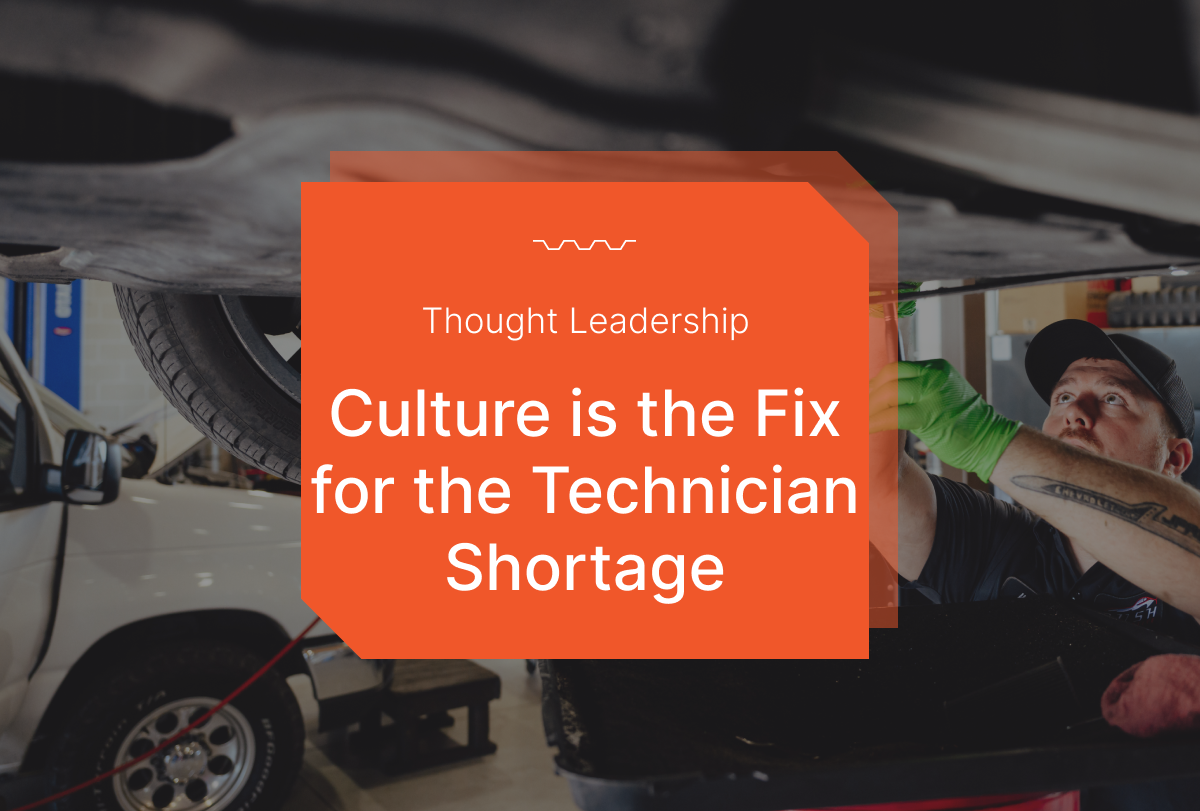
Tekmetric CEO Sunil Patel Says Solving the Technician Shortage Starts With Culture
July 9, 2026
Read time: 10 min

Request a personalized demo now
experience
Tekmetric in Action
.svg)



.svg)

.svg)
.svg)
.svg)
.svg)
.svg)
.svg)
Platform
Features
- Digital Vehicle Inspections
- Estimate Building
- Parts & Inventory
- Phones
- Reporting
- Payment Processing
- Invoicing
- Text-To-Pay
- Buy Now, Pay Later
- Capital Financing
- Online Booking
- Automated Reminders
- Scheduled Campaigns
- Two Way Texting
- Google Reviews
- Websites
Resources
Support
- help center
- Contact Us
- Tek User Group
- Faqs
- System Status
- Email Preferences
- Brand Assets
- Trust Center
company & Legal
-
Careers we are hiring!
×
